


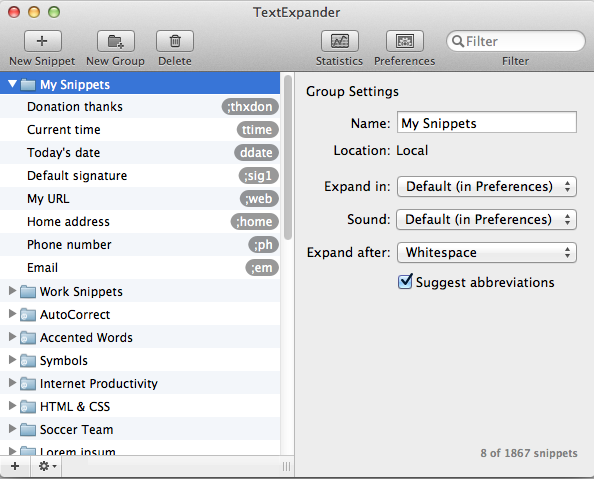
We Rebels write volumes of email every day, and in this video I'll share how I use TextExpander to simplify outbound email. [rebel]
When to Use TextExpander
I ask myself one question every time I send an email: am I going to have to send any part of this again in the future?
[contextly_sidebar id="XXaCeCO3cYEKu0hykDGFYkXX0IAuQ4ov"]If so, I create a TextExpander snippet. Every single time.
As you'll see in the video below, I've created snippets (the abbreviated shortcuts that, when typed, expand into a longer bit of text) for a variety of scenarios, including:
- FAQ responses to inbound email
- URLs, phone numbers and addresses I use frequently
- HTML blocks for blog posts
- Hard-to-remember information (Facebook Group URLs, Google+ URLs, shopping cart URLs)
- Portions of emails (signatures and sign-offs)
Here's a 4.5-minute walkthrough on how I personally use TextExpander and what the window looks like:
Stop Adding. Start Subtracting.
The world keeps accelerating. The Simplicity Protocol helps ambitious professionals do less to achieve more through weekly elimination strategies you can implement in 20 minutes or less.
Member discussion