

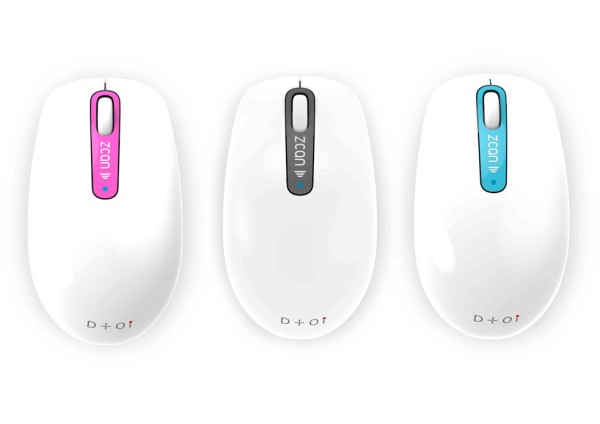
Many of the entrepreneurs and team members I work with want to fully digitize their paperwork, but don't have hours to sit next to a scanner bed with reams of paper. The ZCAN scanner mouse by Systech Electronics Ltd. is a powerful gadget that removes these barriers of time, complexity and space.
[contextly_auto_sidebar id="bMvrlMrhNhjo4eK5Zy4E7bzBWN7jT0Mx"]By day, the ZCAN is an unassuming USB mouse (there's also a wireless version, but I have the wired one), complete with scroll wheel and two-button functionality. Press the center ZCAN button, though, and it becomes a mini handheld scanner that creates real-time scans as you swipe in a Z shape.
Digitizing paperwork with ZCAN is easy, but what's really exciting is all the stuff you can do with your scanned items:
- Save them to online tools like Evernote and Dropbox.
- Scan just the relevant part of a page or image, if desired -- versus the whole thing.
- Share them to Facebook, Twitter, or email.
- Translate them (ZCAN's OCR recognizes 199 languages and opens Google Translate immediately after scanning)
- Export the scan to .jpg, .doc, .pdf, .txt, .png and -- get this -- .xls. Yes -- printed tables become digitally editable Excel spreadsheets!
Read more about the ZCAN wired and wireless versions here: Wired, Wireless
Disclosure: I received the ZCAN scanner mouse in this review for free. That said, I'm genuinely impressed with its functionality and am looking forward to digitizing more documents. I think you'll find it a valuable item to add to your tech arsenal as well.
Stop Adding. Start Subtracting.
The world keeps accelerating. The Simplicity Protocol helps ambitious professionals do less to achieve more through weekly elimination strategies you can implement in 20 minutes or less.
Member discussion